How to Create Dolby Atmos Sound: A Practical Guide for Artists and Engineers
You've heard the difference. A song plays through your AirPods, and something shifts. The snare feels like it's behind you. The synth pads open up into space. That's not a louder mix. That's Dolby Atmos, and it's becoming the baseline expectation on Apple Music, Tidal, and Amazon Music HD. The question most artists are now asking is simple: how do you actually create it?
The answer involves more than just a plugin. Creating a proper Dolby Atmos mix requires a calibrated listening environment, an engineer who understands object-based audio, and a workflow that's fundamentally different from stereo mixing. This guide breaks down the full process, from session setup to final deliverable, with specific gear and real production details.
What Makes Dolby Atmos Different from Stereo Mixing
Stereo mixes live in a flat left-right plane. Dolby Atmos uses object-based audio, meaning each sound element gets spatial coordinates: left-right, front-back, and height. A vocal can be positioned directly in front of the listener. A string section can arc overhead. Rain effects can rain from above and wrap around the sides.
The technical format is built on beds and objects. Beds are channel-based audio stems (similar to a 7.1.2 surround mix) that form the foundation. Objects are individual audio elements with dynamic positional metadata that moves them through three-dimensional space in real time. The renderer, typically Dolby Atmos Production Suite or Dolby Atmos Mastering Suite, interprets that metadata and folds the mix down for headphones, soundbars, or full speaker arrays depending on the playback device.
Streaming platforms that accept Atmos require a specific deliverable: an ADM BWF (Audio Definition Model Broadcast Wave File). That file encodes both the audio and the positional metadata in a single package. Spotify does not currently support Atmos. Apple Music, Tidal, and Amazon Music HD do, and they each have their own loudness and format specs.
What Gear Do You Actually Need to Create Dolby Atmos Sound?
The speaker configuration is non-negotiable if you want an accurate mix. A certified Dolby Atmos studio runs a minimum 7.1.4 speaker setup: seven speakers at ear level, one subwoofer, and four overhead speakers. Flagship rooms run 9.1.6 or higher. You cannot accurately pan overhead objects on a stereo setup and trust the result in a real playback environment.
Beyond the speaker array, here's what a professional Atmos workflow requires:
- DAW with Atmos renderer integration: Pro Tools Ultimate is the industry standard. It integrates directly with the Dolby Atmos Production Suite via MDA (Music Delivery Application) workflow.
- Dolby Atmos Production Suite or Mastering Suite: The Mastering Suite ($299.99/month from Dolby) is required for final deliverable export. Production Suite handles the mixing environment.
- Calibrated monitoring: Rooms must be calibrated to Dolby's reference level (typically 85 dB SPL) with acoustic treatment that meets specific RT60 targets.
- Binaural rendering capability: For headphone playback, the renderer applies head-related transfer functions (HRTFs). You need to check your mix on both the speaker array and headphones.
Most professional studios also reach for precision microphones like the Neumann U87 during the recording phase for any source that will get spatial treatment in the Atmos mix. Clean source audio with low noise floor matters more in an immersive format because listeners can perceive artifacts from multiple spatial directions simultaneously.
How to Structure a Dolby Atmos Mix Session

Start with your stems organized before you open an Atmos session. Grouping matters: drums, bass, melodic elements, vocals, effects. Each group will either become a bed element or an object, and that decision shapes the spatial behavior of your entire mix.
A common workflow for music Atmos mixes:
- Set up your stereo mix as the bed. Lock in the foundation before you start spatializing elements. Your kick, snare, and bass almost always stay in the bed at ear level.
- Identify objects for spatial placement. Pads, reverb tails, backing vocals, synth elements, and sound design are natural candidates. Lead vocals usually stay centered and slightly elevated but rarely go overhead.
- Automate object positions. Static panning in Atmos often sounds unnatural. Use subtle movement through the three-dimensional field over time.
- Check the binaural fold-down constantly. Most listeners will hear your Atmos mix through headphones, not a speaker array. The binaural render must work on its own.
- Export the ADM BWF and a stereo downmix. Streaming platforms need both. The stereo downmix plays on platforms that don't support Atmos.
One thing experienced engineers know: subtlety is the signature of a good Atmos music mix. The goal isn't to make the listener feel like they're inside a hurricane. It's to add depth and dimension that a stereo mix physically can't achieve. We've seen artists come in expecting something overwhelming and leave surprised by how musical and controlled a well-executed Atmos mix actually sounds.
Where to Record and Mix Dolby Atmos in Los Angeles
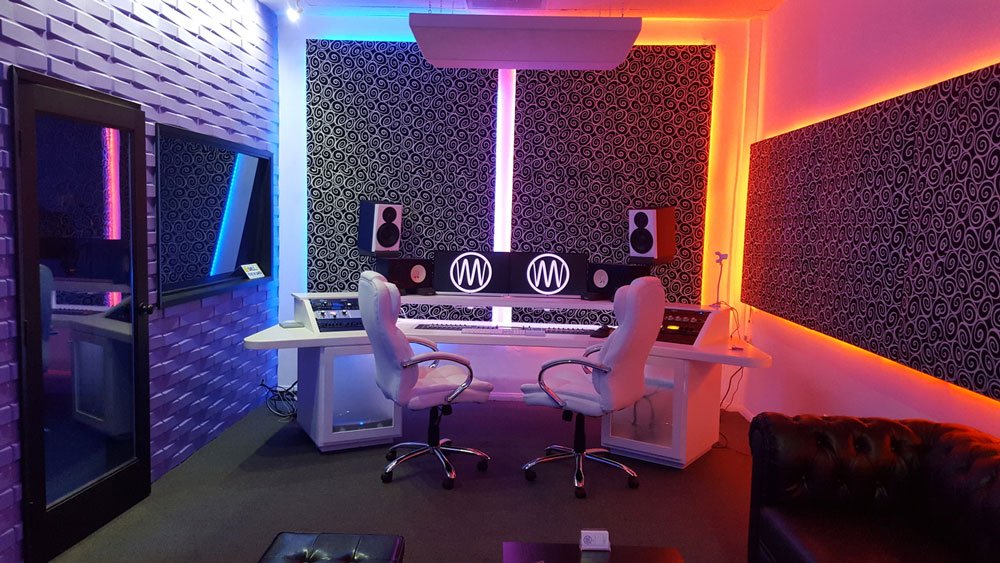
MIX Recording Studio, located at 539 S Rampart Blvd in Los Angeles, CA 90057, operates a certified Dolby Atmos mixing room and has been open 24/7 since 2017. The studio holds a 4.9-star rating from 388 Google reviews and has been featured on MTV. It sits near the Westlake neighborhood, close to downtown LA, with parking available on site and easy access from the 101 freeway.
Standard recording sessions at MIX run $55 per hour for daytime bookings. Prepaid time packages price the hour at $44 inside the 16-hour block, $41 inside the 30-hour block and $39 inside the 50-hour ICON block. Dolby Atmos mixing sessions are priced separately based on project scope. Call (323) 218-7475 for Atmos-specific session pricing.
| Service | Rate | Notes |
|---|---|---|
| Recording (daytime) | $55/hr | Open 24/7, same-day booking available |
| Prepaid Time Packages | $44/hr (16 hr), $41/hr (30 hr), $39/hr (50 hr ICON) | Multi-hour and multi-day packages |
| Dolby Atmos Mixing | Call for rates | Certified room, ADM BWF deliverable |
| Overnight sessions | Overnight rates available | 24/7 staffed facility |
Current rates are always on mixrecordingstudio.com/pricing, or call (323) 218-7475.
Record at $55/hr, or lock in the 50-hour ICON prepaid block at $39/hr, at a certified Dolby Atmos studio in LA.
Book at mixrecordingstudio.com/booking or call +13232187475. Open 24/7.
Studios like Capitol Studios and Westlake Pro are legitimate references in the Atmos space, but session access at those facilities typically requires scheduling weeks out and comes at a significantly higher hourly cost. MIX Recording Studio offers same-day booking and overnight availability, which matters when you're working against a release deadline.
If you need Dolby Atmos mixing and mastering in Los Angeles, MIX handles the full chain from tracking through final Atmos deliverable. The studio's engineers have worked on projects with 180M+ streams and Grammy-nominated credits. For artists who also need ADR work tied to a project, MIX runs ADR recording sessions out of the same facility.
For artists still building toward that level and looking to develop their mixing ear first, UNION Recording Studio is a solid option in the LA market for foundational recording and mixing sessions.
Common Mistakes When Creating Dolby Atmos Mixes

Overloading the overhead channels is the most common mistake. New Atmos engineers hear that height channels exist and immediately fill them with elements. The result sounds disorienting and fatiguing. Height information should support the mix, not compete with it.
Skipping the binaural check is the second major mistake. You might have a breathtaking 9.1.6 mix that completely falls apart on headphones. Since the majority of Atmos listeners on Apple Music are using AirPods or similar, your headphone fold-down is arguably more important than your speaker mix.
Loudness targeting is also different in Atmos. Apple Music targets -16 LUFS integrated for Atmos (versus -14 LUFS for stereo). Submitting a mix that's been slammed to compete in stereo will sound distorted in the Atmos playback chain. Your mixing and mastering in Los Angeles should account for the platform-specific loudness spec before the session starts.
Frequently Asked Questions
How long does a Dolby Atmos mix session take?
A full Dolby Atmos music mix typically takes 6 to 12 hours depending on track complexity and stem organization. Artists who arrive with well-organized stems and a clear creative direction move through sessions faster. Projects requiring spatial design from scratch can run longer.
Do you need to re-record your songs to get a Dolby Atmos mix?
No. Dolby Atmos mixing starts from your existing stems. The engineer routes those stems into the Atmos renderer and assigns spatial positions and movement. You don't need to re-record anything, but clean, separated stems produce far better spatial results than a single stereo bounce.
What is the deliverable format for streaming Dolby Atmos?
Apple Music and Tidal require an ADM BWF (Audio Definition Model Broadcast Wave File) along with a stereo downmix. The ADM BWF packages both audio and positional metadata in one file. Your distributor (DistroKid, TuneCore, etc.) must explicitly support Atmos delivery for the file to reach platforms in immersive format.
How much does Dolby Atmos mixing cost at a Los Angeles studio?
Standard recording sessions at MIX Recording Studio start at $55 per hour, with prepaid time packages at $44/hr inside the 16-hour block, $41/hr inside the 30-hour block and $39/hr inside the 50-hour ICON block. Dolby Atmos mixing sessions are priced based on project scope. Call (323) 218-7475 for a direct quote on Atmos mixing work.
Is Dolby Atmos only for big-budget artists?
Not anymore. Apple Music and Tidal distribute Atmos tracks from independent artists alongside major label releases. The investment is in session time and an engineer with certified Atmos experience, not in a major label deal. Independent artists with 20,000 to 200,000 monthly listeners are now delivering Atmos releases as standard practice.
Ready to put your music into three-dimensional space? MIX Recording Studio is open 24/7 at 539 S Rampart Blvd, Los Angeles, CA 90057, with same-day booking available. Explore the full Dolby Atmos mixing and mastering services or book your session directly at mixrecordingstudio.com/booking. Questions? Call (323) 218-7475.